What UniForge3D actually reports
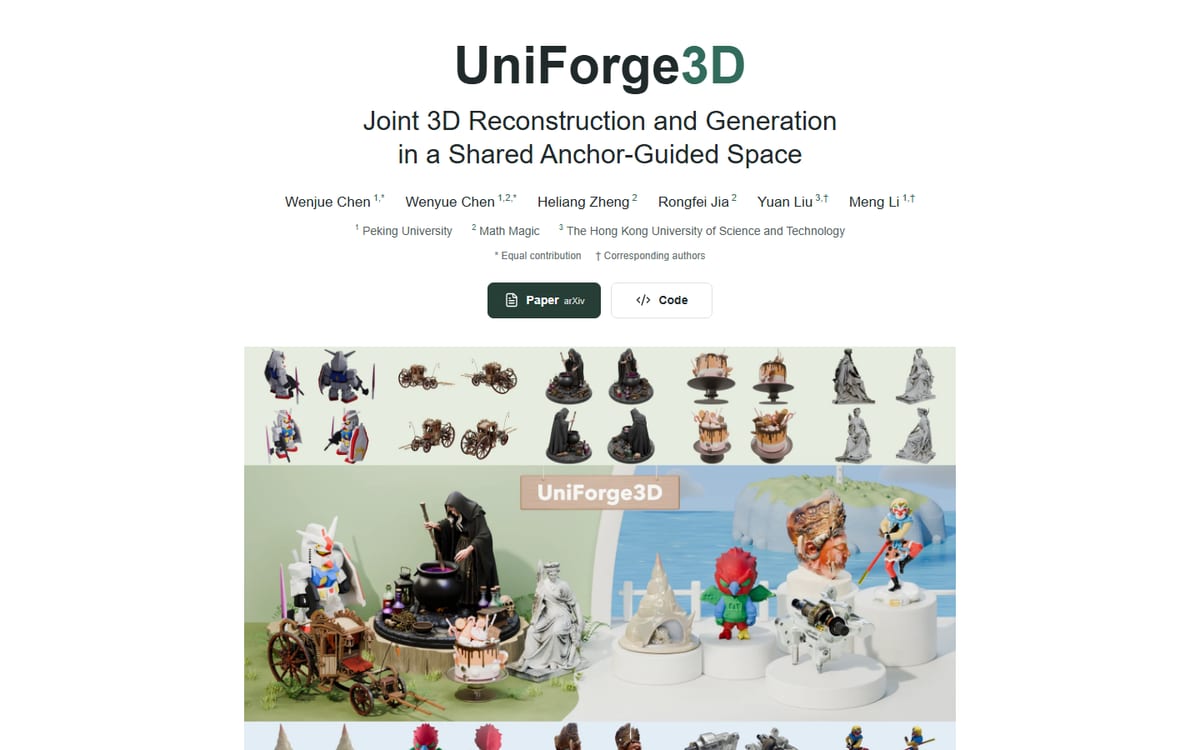
The project uses an anchor-guided space to connect reconstruction and generation branches. It predicts point maps and a complete sparse structure, then selects informative input views for individual voxels. Its stated goal is to preserve observed detail while completing regions absent from the images.
Inputs and repository setup: check the exact bundle
The matching implementation repository describes placing each object’s input views in its own directory under assets, with example numbered PNG files, then running python infer.py in its documented environment. The landing page still displays coming-soon labels for paper and code links, so inspect the repository, checkpoint availability and current instructions rather than inferring completeness from the landing page. We have not validated the environment or established a minimum GPU specification.
| Item | Example from the documented layout | Check before a run |
|---|---|---|
| Object folder | assets/case01/ | One object per directory |
| Input views | 001.png, 002.png, 003.png | Consistent object identity and useful coverage |
| Inference entry | python infer.py | Use the repository’s matching environment and artifacts |
| Evaluation view | Keep separately from input | Do not accidentally include the held-out evidence |
What this changes for the reader
A clean model can hide an important distinction: some surfaces are constrained by photographs, others are generated from learned priors. Our editorial recommendation is to label that distinction in asset review. For a decorative object, plausible completion may be enough; for dimensions or manufacturing references, visual plausibility is not a measurement.
A practical evaluation before adoption
Photograph a permitted object from a few views and keep another view for inspection. Compare silhouette, visible markings and rear-side structure against that held-out image. Add one more input view and see whether the inferred region changes. Keep camera setup, crop choices and input count in the review log.
- Separate observed geometry from generated completion.
- Compare with a held-out view.
- Check scale, topology and export suitability independently.
A held-out-view review sheet
For an object you are allowed to photograph, choose one view that exposes a distinctive feature, such as a handle or rear support. Do not provide that view during reconstruction. Inspect the resulting asset from a comparable angle and record whether the feature exists, whether it is plausible but invented, and whether another input view changes the result. Score observed detail and generated completion separately. This proposed review does not turn a visual match into a dimensional measurement. Use the 3D asset review sheet to retain those decisions.
- Save original inputs and chosen hold-out separately.
- Record repository revision and model artifact identity.
- Inspect silhouette and local details, not only a turntable.
- Check scale, topology and downstream export separately.
Limits and availability to keep in view
Author-reported benchmark leadership is not a FyreLinkz measurement. We have not verified a complete inference environment, hardware floor or downstream asset compatibility. Read the current code and asset terms before adopting the pipeline.
Choose reconstruction, refinement or animation
Use PURE for the adjacent question of reconstructing observed video. Hi3D 1.0 addresses refining a coarse mesh with a reference image. GaussiAnimate concerns controllable motion from consistent reconstructed sequences. These are different stages, so compare the inputs and deliverable you actually need rather than treating every 3D project as interchangeable.
Frequently asked questions
What problem does UniForge3D address?
It connects sparse-view reconstruction with complete-shape generation in an anchor-guided space.
Are unseen surfaces verified measurements?
No. Generated completion should not be treated as observed geometry.
Has FyreLinkz independently tested UniForge3D?
No. This article reports the linked primary source and proposes an editorial evaluation; it contains no independent performance benchmark.
How are input images organized in the linked repository?
Its README shows a separate object directory under assets containing numbered PNG views. Follow the exact current repository instructions and check required artifacts before running inference.
Sources & further reading
Primary sources checked Oct 26, 2026. Vendor statements are attributed; editorial advice is our own.
- 1UniForge3D — primary source and release details ↗UniForge3D project
- 2Implementation README: installation and inference input folders ↗UniForge3D repository
Help us keep this useful. Report a factual correction →